

Apply to Graduate
Students use UCanWeb to Apply to Gradate during their final semester. Students who plan to participate in the Commencement ceremony in May are required to complete a Microsoft form, see the Commencement site for details.
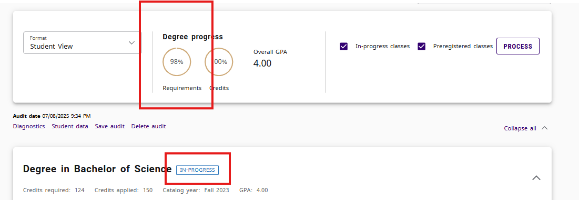
All students should verify their potential to complete their degree in the current semester before applying to graduate. Use your DegreeWorks audit to review for any outstanding requirements. Check that the Requirements dial in your Degree Progress bar is at 98% (will reach 100% after completion of the last semester) AND check that all blocks in the audit say either Complete or In-Progress. If you think the audit is in error, contact your advisor or your Dean’s Office.
Application for Graduation is open on these dates:
| Term | Dates |
|---|---|
| Graduating at end of Spring term | Apply between January 1 and March 15 |
| Graduating at end of Summer term | Apply between June 1 and July 31 |
| Graduating at end of Fall term | Apply between August 1 and November 30 |
| Graduating at end of Winter term | Apply between December 1 and December 31 |
All students are encouraged to apply, as it ensures that the campus knows how you want your name displayed on your diploma and your forwarding address.
How to apply to graduate in UCanWeb:
- Log in to UCanWeb
- Choose the Student tab. Look for the card that says Graduation and Transcript Services. Choose "Apply to Graduate"

Note that in the menu above, there is also a link that says View Application to Graduate. That is where you can come back to verify what you submitted.
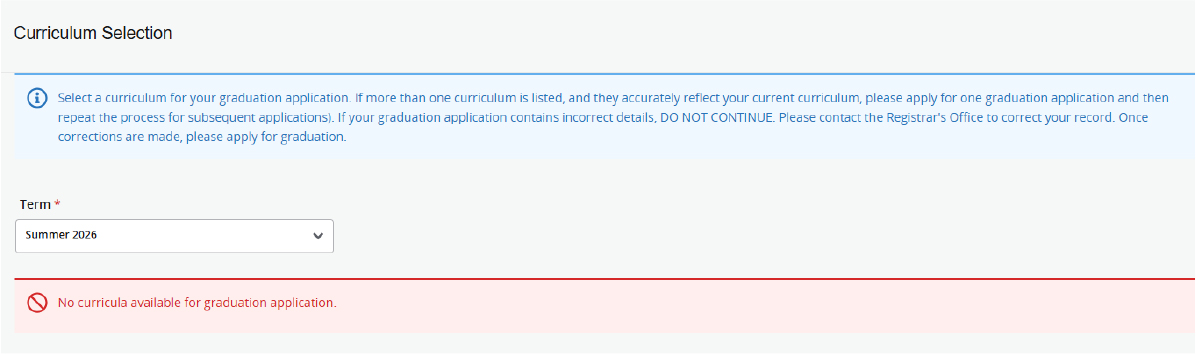
- Verify the term and the program that you are graduating from this semester. If you have been in multiple majors, you might have several choices. Choose the appropriate major.
An error on the page means that there is no active curriculum to apply to (either already done or not in a major). Please contact registrar@canton.edu for assistance.
- Verify your name for your diploma. This does not change your legal name, only indicates the name for display on your diploma. Click Continue.
- Verify your mailing address, adjust only if needed. Click Continue.
- Review your Application Summary and make sure that it is all accurate. Click SUBMIT at the bottom when ready.
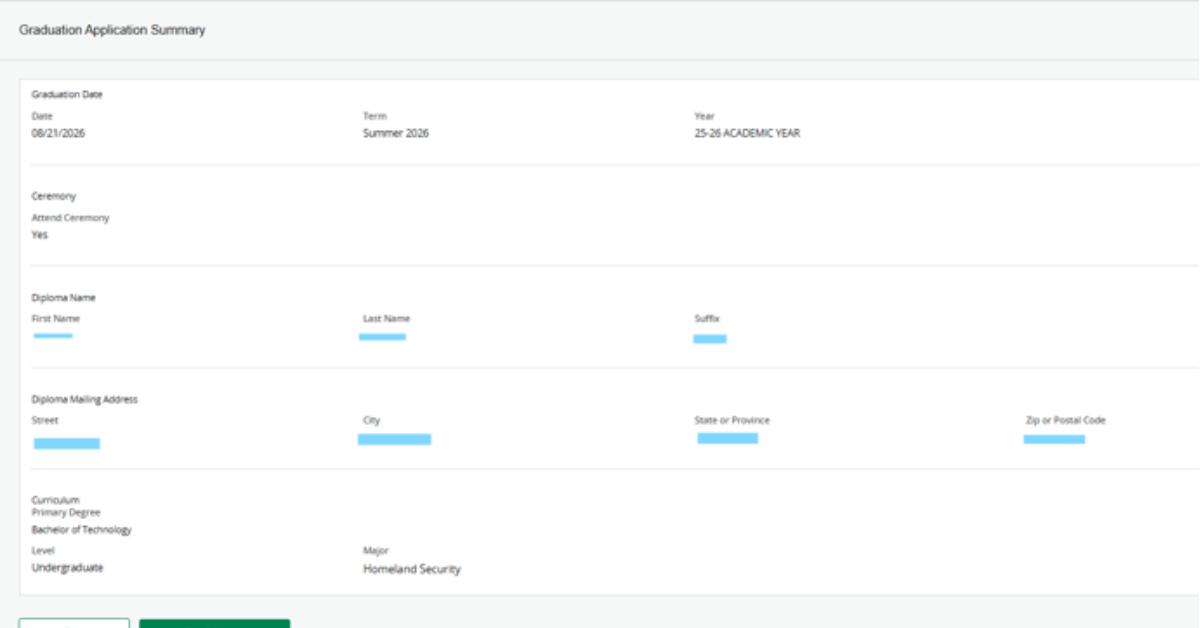
- After submission, an acknowledgement that your application has been received will display. A confirmation will also be sent to your Canton email.
If you want to go back to see what you submitted, use the last link in the Graduation and Transcripts card that says View Application to Graduate can be viewed after your application is complete to verify what information was included.
Registrar's Office
Miller Campus Center - 1st Floor
34 Cornell Drive
Canton, NY 13617
Phone: 315-386-7616
Fax: 315-379-3819
registrar@canton.edu
Regular Office Hours:
Monday, Tuesday, Wednesday, Friday
8:00 am-4:30 pm
Thursday
9:00-4:30 pm
Summer/Vacation Office Hours:
Monday, Tuesday, Wednesday, Friday
8:00 am-4:00 pm
Thursday
9:00-4:00 pm